




LordGravon
Fórumtag
-
Csatlakozott:
-
Utolsó látogatás:
LordGravon összes hozzászólása
-
👌Nem rossz a teaser.Nemrég láttam az Odüsszeiát és nekem nagyon bejött. A változtatások nem zavarnak, mert egy mítosz adaptációjáról beszélünk. Ez olyan, mint hogy a sikeres Hamilton musicalben sok fekete színész játszik, illetve az ő zenei stílusaik egyvelegéből merít. Egy modern perspektívát látunk és számomra azt szimbolizálja, hogy a történetek témái minden emberre vonatkoznak.Nos, itt az én listám, de kettő kimarad belőle, mert az egyiket nem láttam, a másikat meg nem fejeztem be: 1. Acolyte 2. Ahsoka 3. Obi-Wan Kenobi 4. The Mandalorian 5. The Book of Boba Fett@Bence1997 Ez mind nagyon jól hangzik.Megtisztelő, hogy Lucas a 81. életévében itt járt nálunk. Amúgy várom a múzeumának a megnyitását. Ha tehetném, el is mennék megnézni, majd. Remek megkoronázása az életművének, mert itt csúcsosodik ki minden, amit próbált képviselni az élete során. Joseph Campbell büszke lenne. És tök jó, hogy még képregény történetekkel kapcsolatos dolgok is ki lesznek állítva. Ez is egy annyira Lucasos különc húzás. Szerintem megint jól meg mondta a magáét Hollywoodnak, nemrég. Az AI-val kapcsolatos kijelentésében látok némi rációt és joga van a véleményéhez, bár egyet értek azokkal, akik meg akarják védeni az emberi kreativitás értékét, szemben a szinte teljesen gép által generált automatizált dolgokkal, amik manapság kicsit ellepték az internetet, azzal fenyegetve, hogy elveszik mások munkáját. Ahogy a Star Wars-ban is, ideális esetben meg kéne tanulnunk moderáltan, egyensúlyban együtt élni az AI-al, megőrizvén az emberség értékét is.@Bence1997 Hmm, nagyon érdekes az Avatáros trailer. És mintha Korra gonosszá vált volna? Wow. 🫢Látom, megvan a Hamilton riválisa. (Ja, egyébként kedvelem a musicaleket. ) Molière, a városi opera: "Az előadás a nagy drámaíró felemelkedésének történetét meséli el, és életének legfontosabb állomásait öleli fel. A történet Molière fiatalkorával kezdődik, amikor lemondva az udvari élet biztos és rangos lehetőségéről, szerelmével együtt megalapítja saját színtársulatát. Ezt követik az első bemutatók és kudarcok, az ellenségek intrikái és képmutatása, az egyházzal való konfliktus és a száműzetés, majd a komédia műfajában véghezvitt forradalom és az elismerés, amelyért a hős nagy árat fizet."Nemrég gondoltam egyet és megjutalmaztam a belső gyerekemet egy ilyennel: Közbe meg ez ment a fejembe:Lucas szétveri a Star WarstÖrülök, hogy Wolverine végre kap egy modern játékot. Ideje volt már.Én csak nemrég értesültem róla, de tavaly megjelent egy kép arról, milyen lesz a harmadik Avatar sorozat: Nem rossz.
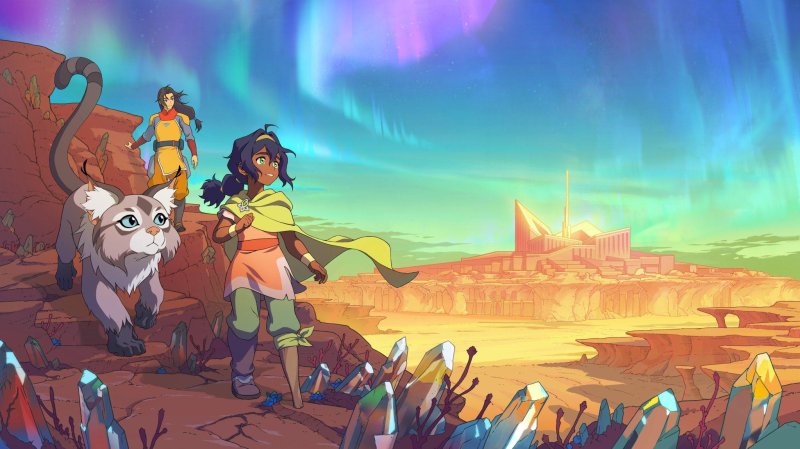 No, csakhogy. Kicsit furcsa lesz megszokni Aangék új hangjait, de ígéretesnek tűnik.Szerintem jó lenne, ha majd animációs film formájában megkapnánk mondjuk a Son of Dathomirt meg a Dark Disciple-t és akkor végre elmondhatnánk, hogy van olyan mozis 3D-s Star Wars film, ami nagyot szólt. Ezek meg is törnék a jeget azok számára, akik a TCW pilot film után elzárkóztak az animációs sztoriktól vagy eleve sosem adtak esélyt nekik, mondván, hogy biztos túl "gyerekesek". Alkotók terén én szívesen látnék sorozatokat az eredeti Avatar: The Last Airbender világa és a Bruce Timm/Paul Dini féle DC animációs sorozatok készítőitől, azoknak a stílusába/hangulatába. Genndy Tartakovsky is tehetne egy nagy visszatérőt, egy teljesen új érába, új karakterekkel, de a régi Clone Wars stílusában. Én személy szerint imádtam azt az abszolút elborult verzióját a Star Warsnak, amit anno tőle kaptunk.
Fontos információ
A webhely használatával elfogadod és egyetértesz a fórumszabályzattal.Account
Navigation
Keresés
Böngésző push értesítéseinek konfigurálása
Chrome (Android)
- Koppints a címsáv melletti lakat ikonra.
- Koppints az Engedélyek → Értesítések lehetőségre.
- Módosítsd a beállításokat.
Chrome (Desktop)
- Kattints a lakat ikonra a címsorban.
- Válaszd a Webhelybeállítások lehetőséget.
- Keresd meg az Értesítések elemet, és módosítsd a beállításokat.
Safari (iOS 16.4+)
- Győződj meg róla, hogy az oldal telepítve van a Kezdőképernyőhöz adás lehetőséggel.
- Nyisd meg a következőt: Beállítások → Értesítések.
- Keresd meg az alkalmazásod nevét, és módosítsd a beállításokat.
Safari (macOS)
- Lépj a Safari → Beállításokmenüpontra.
- Kattints a Weblap fülre.
- Válaszd az Értesítések menüt az oldalsávban.
- Keresd meg ezt a weboldalt, és állítsd be a saját preferenciáidat.
Edge (Android)
- Koppints a címsáv melletti lakat ikonra.
- Koppints az Engedélyek lehetőségre.
- Keresd meg az Értesítések lehetőséget, és módosítsd a beállításokat.
Edge (Desktop)
- Kattints a lakat ikonra a címsorban.
- Kattints az Engedélyek ehhez a webhelyhez lehetőségre.
- Keresd meg az Értesítések elemet, és módosítsd a beállításokat.
Firefox (Android)
- Lépj a Beállítások → Webhely engedélyek menüpontra.
- Koppints az Értesítés menüre.
- Keresd meg ezt az oldalt a listában, és módosítsd a beállításaidat.
Firefox (Desktop)
- Nyisd meg a Firefox Beállítások menüjét.
- Keresd meg az Értesítések menüt.
- Keresd meg ezt az oldalt a listában, és módosítsd a beállításaidat.